Course Introduction
ADCA Course क्या है?
आज Computer Knowledge केवल एक अतिरिक्त योग्यता नहीं, बल्कि पढ़ाई, नौकरी, व्यवसाय और दैनिक जीवन की आवश्यक Skill बन चुकी है। Office Work, Online Services, Accounting, Graphic Designing, Website Creation, Cyber Security और Artificial Intelligence जैसे क्षेत्रों में काम करने के लिए केवल Basic Computer Knowledge पर्याप्त नहीं होती।
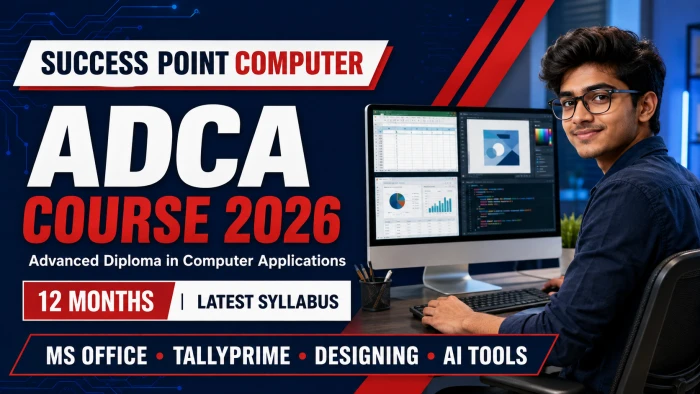
इसी आवश्यकता को ध्यान में रखते हुए SUCCESS POINT COMPUTER का ADCA programme basic से advanced level तक step-by-step practical training प्रदान करता है। Course Computer Fundamentals से शुरू होकर MS Office, Advanced Excel, TallyPrime, Accounting, Graphic Designing, HTML, C/C++, Cyber Security, AI Tools और Final Project तक पहुँचता है।
ADCA Full Form
ADCA का Full Form Advanced Diploma in Computer Applications है।
Purpose & Objectives
ADCA Course क्यों किया जाता है?
ADCA का उद्देश्य learner को computer का केवल परिचय देना नहीं, बल्कि उसे पढ़ाई, office, accounts, business और digital services में उपयोग होने वाले कामों की practical understanding देना है। एक ही structured programme में कई applications सीखने से विद्यार्थी अपनी रुचि और क्षमता के अनुसार Office, Accounts, Designing, Web या Programming जैसे क्षेत्रों को पहचान सकता है।
01Digital Foundation
Hardware, Windows, files, internet और safe computer use की मजबूत समझ विकसित करना।
02Workplace Skills
Documents, spreadsheets, presentations, email, printing और office records तैयार करना।
03Career Exposure
Accounting, design, web, programming, cyber safety और AI के अलग-अलग career areas से परिचय।
04Practical Confidence
Assignments, projects, practical examination और viva के माध्यम से काम करने का आत्मविश्वास।
Course Advantage
ADCA Course के मुख्य फायदे
ADCA का सबसे बड़ा लाभ इसका broad skill combination है। Learner basic computer operation से शुरू करके professional documents, data reports, accounts, GST invoices, creative designs, webpages और responsible AI-assisted work तक पहुँचता है। इससे आगे specialization चुनना और entry-level work के लिए तैयारी करना आसान हो सकता है।
✓Basic से Advanced LearningBeginner-friendly sequence में fundamentals से advanced applications तक learning।
✓एक Course, कई SkillsOffice, Excel, Accounts, Tally, Design, Web, Programming, Cyber और AI का coverage।
✓Office ProductivityLetters, resume, marksheet, salary sheet, invoice, presentations और database तैयार करना।
✓Business & Accounts SupportAccounting basics, inventory, billing, GST, reports और bank reconciliation की समझ।
✓Creative & Web ExposurePhotoshop, CorelDRAW, Canva और basic responsive webpage creation का अभ्यास।
✓Modern Digital AwarenessCyber fraud से बचाव, privacy और AI tools के सही तथा responsible use की जानकारी।
✓Portfolio-Oriented PracticeAssignments और projects learner को अपने किए हुए काम का record बनाने में मदद करते हैं।
✓Career & Personality SkillsResume, email, communication, office etiquette, interview और spoken English practice।
Complete Curriculum
ADCA Course का नवीनतम Syllabus
प्रत्येक module खोलकर उसके मुख्य topics और practical learning देखें।
- Introduction to Computer
- History and Generations of Computer
- Types of Computer
- Characteristics and Applications of Computer
- Input, Output and Storage Devices
- Computer Memory and Number System
- Hardware and Software Concepts
- Introduction to Computer Parts
- Motherboard, Processor, RAM and ROM
- HDD, SSD and Storage Devices
- Keyboard, Mouse, Monitor and Printer
- Computer Ports and Connectors
- Basic Computer Assembly
- Common Hardware Troubleshooting
- Windows 10 and Windows 11
- Desktop, Taskbar and Start Menu
- File and Folder Management
- Windows Settings and Control Panel
- Software Installation and Uninstallation
- User Account Management
- Data Backup and Restore
- MS-DOS and Command Prompt
- Basic DOS Commands
- MS Paint
- Notepad
- WordPad
- Calculator
- Snipping Tool
- Character Map
- Printing and Scanning
Software Covered: MS Office 2019 and Microsoft 365
MS Word
- Creating, Editing and Formatting Documents
- Page Setup and Printing
- Tables, Pictures, Shapes and WordArt
- Header, Footer and Page Number
- Mail Merge
- Resume, Letter and Certificate Creation
MS Excel
- Workbook and Worksheet
- Data Entry and Cell Formatting
- Basic Formulas and Functions
- Sorting and Filtering
- Charts and Graphs
- Marksheet, Salary Sheet and Invoice Creation
MS PowerPoint
- Creating Presentations
- Slide Layout and Themes
- Pictures, Shapes and SmartArt
- Animation and Transition
- Audio and Video
- Slide Show and Printing
MS Access
- Introduction to Database
- Tables and Primary Keys
- Queries, Forms and Reports
- Basic Database Project
- Advanced Formulas and Functions
- IF, AND, OR and Nested IF
- SUMIF, SUMIFS, COUNTIF and COUNTIFS
- VLOOKUP, HLOOKUP and XLOOKUP
- INDEX and MATCH
- Date, Time and Text Functions
- Data Validation
- Conditional Formatting
- Advanced Sorting and Filtering
- Pivot Table and Pivot Chart
- Dashboard Creation
- What-If Analysis
- Data Protection
- Macro Recording and Basic Automation
- MIS Report Preparation
- Fundamentals of Internet
- Web Browsing and Surfing
- Searching Information Online
- Email Account Creation and Management
- Online Chatting and Communication
- File Uploading and Downloading
- Online Form Filling
- Cloud Storage and File Sharing
- Social Media Basics
- Video Conferencing
- Online Government Services
- Introduction to Banking Services
- Saving and Current Accounts
- ATM, Debit Card and Credit Card
- Cheque, Demand Draft and Passbook
- Internet Banking and Mobile Banking
- UPI, QR Code and Digital Payments
- NEFT, RTGS and IMPS
- Banking Schemes and Applications
- Government Financial Schemes
- Digital Banking Safety
- Fundamentals of Accounting
- Accounting Terminology
- Types of Accounts
- Rules of Debit and Credit
- Journal Entries
- Ledger Posting
- Trial Balance
- Trading Account
- Profit and Loss Account
- Balance Sheet
- Account Statements
- Bank Reconciliation Statement
- Fundamentals of Tally
- Company Creation and Configuration
- Accounting Masters
- Group and Ledger Creation
- Inventory Masters
- Stock Groups, Categories and Items
- Units of Measurement
- Accounting Voucher Entry
- Inventory Voucher Entry
- Bill-wise Details
- Cost Centre and Cost Categories
- Order Processing
- Batch-wise Details
- Price Levels and Price Lists
- Stock Valuation
- Godown and Stock Transfer
- Purchase and Sales Invoicing
- GST Configuration and GST Billing
- Debit Note and Credit Note
- TDS and TCS
- Payroll Introduction
- Bank Reconciliation
- Accounting and Inventory Reports
- Backup and Restore
- Data Import and Export
- Technological Advantages of Tally
Adobe Photoshop
- Introduction to Photoshop
- Selection and Editing Tools
- Layers and Effects
- Photo Editing and Retouching
- Background Removal
- Passport Size Photo Creation
- Poster and Banner Designing
CorelDRAW
- Introduction to CorelDRAW
- Shapes, Text and Drawing Tools
- Logo Designing
- Visiting Card Designing
- ID Card and Certificate Designing
- Flex Banner and Brochure Designing
Canva
- Introduction to Canva
- Templates and Design Elements
- Social Media Post Designing
- Poster and Advertisement Designing
- Presentation Designing
- Resume and Certificate Designing
- Logo, Banner and Thumbnail Designing
- Basic Video and Animation Creation
- Downloading Designs in Different Formats
- Fundamentals of HTML
- Structure of an HTML Document
- HTML Tags and Attributes
- Text Formatting
- Images, Links and Lists
- Tables and Forms
- Audio and Video
- Introduction to CSS
- Webpage Layout Designing
- Basic Responsive Webpage
- Introduction to Domain and Hosting
- Basic Website Project
C Language
- Fundamentals of Programming
- Algorithms and Flowcharts
- Variables, Constants and Data Types
- Operators and Expressions
- Conditional Statements
- Loops
- Functions and Arrays
- Basic C Programs
C++ Language
- Introduction to C++
- Object-Oriented Programming
- Classes and Objects
- Constructors
- Inheritance and Polymorphism
- Basic C++ Programs
- Introduction to Multimedia
- Image, Audio and Video Formats
- Basic Audio Editing
- Basic Video Editing
- Screen Recording
- Creating Multimedia Presentations
- Printer Installation and Settings
- Document and Photo Printing
- Scanner Installation and Scanning
- PDF Creation and Management
- Introduction to Cyber Security
- Online Safety and Digital Privacy
- Strong Password Creation
- Two-Factor Authentication
- Virus, Malware and Ransomware
- Antivirus and Firewall
- Phishing Emails and Fake Websites
- Online Banking and UPI Fraud Awareness
- Social Media Security
- Data Backup and Recovery
- Safe Internet Browsing
- Cybercrime Reporting
- Responsible Use of Digital Technology
- Introduction to Artificial Intelligence
- Uses of AI in Education and Business
- Introduction to ChatGPT
- Prompt Writing Fundamentals
- AI for Content and Letter Writing
- AI for Resume and Email Writing
- AI for MS Word, Excel and PowerPoint
- AI-Based Image and Poster Creation
- AI Tools for Translation and Grammar
- AI Tools for Research and Learning
- Voice-to-Text and Text-to-Speech Tools
- Benefits and Limitations of AI
- Privacy, Copyright and Responsible Use of AI
- Communication Skills
- Interview Preparation
- Frequently Asked Interview Questions
- Resume and CV Preparation
- Professional Email Writing
- Office Etiquette
- Workplace Behaviour
- Basic Spoken English Practice
- Computer Fundamentals Practical
- MS Office Assignment
- Advanced Excel Project
- Accounting and Tally Project
- Photoshop, CorelDRAW and Canva Project
- HTML Website Project
- C and C++ Programming Assignment
- Cyber Security Awareness Project
- AI Tools Practical Assignment
- Final Project Work
- Practical Examination and Viva-Voce
12-Month Learning Journey
ADCA Learning Roadmap कैसे आगे बढ़ता है?
Actual timetable batch और institute plan के अनुसार बदल सकता है, लेकिन syllabus की learning journey को इन चार stages में समझा जा सकता है:
STAGE 1Computer Foundation
Computer fundamentals, hardware, operating system, Windows accessories और basic troubleshooting।
STAGE 2Office & Data Skills
MS Office, Advanced Excel, internet services, online communication और financial literacy।
STAGE 3Professional Applications
Accounting, TallyPrime, graphic designing, HTML webpage designing और C/C++ fundamentals।
STAGE 4Modern Skills & Projects
Multimedia, cyber security, AI tools, personality development, final projects, practical exam और viva।
Learn by Doing
ADCA में Practical और Project Work
Computer course का वास्तविक लाभ तभी मिलता है जब learner software पर स्वयं काम करे। इसलिए Module 18 में अलग-अलग विषयों से जुड़े assignments, projects, final work, practical examination और viva-voce शामिल हैं। अभ्यास के दौरान learner को केवल steps याद करने की जगह usable output तैयार करने पर ध्यान देना चाहिए।
Office & ExcelFormatted documents, presentation, marksheet, salary sheet, invoice, formulas, Pivot और dashboard practice।
Accounting & TallyCompany data, ledgers, vouchers, inventory, GST billing, reports, backup और reconciliation-based project।
Design PortfolioPhoto editing, background removal, logo, visiting card, certificate, poster, banner और social post designs।
Website & ProgrammingBasic responsive HTML/CSS website तथा logic, flowchart, C और C++ के programming assignments।
Cyber & AI AssignmentCyber safety awareness और privacy, verification, copyright तथा responsible AI use पर practical work।
Final AssessmentFinal Project Work के साथ Practical Examination और Viva-Voce द्वारा applied understanding का assessment।
Useful tip: अपने अच्छे documents, Excel reports, invoices, designs और website screenshots को एक organized digital folder में रखें। यह आपका basic work portfolio बन सकता है।
Learning Outcomes
ADCA में कौन-कौन सी Skills सीखेंगे?
✓ Windows और file management
✓ Professional office documents
✓ Excel reports, Pivot और dashboards
✓ Accounting और TallyPrime records
✓ GST invoices और business reports
✓ Posters, banners और social creatives
✓ Responsive webpage creation
✓ Basic C/C++ programming
✓ Cyber-fraud identification
✓ Responsible and verified AI use
Ideal Learners
ADCA Course किसके लिए उपयोगी है?
यह programme उन learners के लिए बनाया गया है जो computer की शुरुआत से सीखकर कई practical applications का व्यापक ज्ञान चाहते हैं। 10th या 12th के बाद skill development, college के साथ computer qualification, office/accounts work की तैयारी या अपने business के digital tasks समझने वाले learners इसे चुन सकते हैं।
10th / 12th Pass Students
College Students
Job Seekers
Accounts Learners
Office Work Aspirants
Small Business Owners
Digital Service Operators
Design Beginners
कब specialization बेहतर हो सकती है? यदि आपका लक्ष्य केवल advanced software development, professional graphic design, expert accounting या networking है, तो ADCA foundation के बाद उसी field का focused advanced course और अधिक उपयुक्त होगा।
Course Comparison
DCA और ADCA में क्या अंतर है?
DCA और ADCA का curriculum अलग-अलग संस्थानों में बदल सकता है। सामान्य रूप से DCA basic-to-intermediate computer applications पर केंद्रित होता है, जबकि ADCA अधिक विस्तृत learning path देता है। नीचे की तुलना इस page पर दिए गए 12-month ADCA curriculum के आधार पर है:
| Comparison Point | DCA — सामान्य स्वरूप | यह ADCA Programme |
|---|
| Learning Level | Basic to intermediate applications | Basic foundation से broader advanced applications |
|---|
| Duration | Institute के अनुसार अलग हो सकती है | 12 Months |
|---|
| Office Skills | Computer basics और MS Office | MS Office 2019/Microsoft 365 + Advanced Excel + MS Access |
|---|
| Additional Areas | Course structure पर निर्भर | Accounting, TallyPrime, DTP, Web, C/C++, Cyber Security और AI |
|---|
| Practical Output | Basic assignments | Subject projects, final project, practical exam और viva |
|---|
| Best Suited For | Shorter foundational computer learning | Broader skill set और multiple career areas का exposure |
|---|
ध्यान दें: Admission से पहले जिस institute में course करना है, उसका exact syllabus, duration, assessment और certificate details अवश्य जाँचें।
Career Scope
ADCA के बाद Career Opportunities
पर्याप्त practical practice, typing speed, communication और local employer requirements के अनुसार विद्यार्थी निम्न entry-level roles की तैयारी कर सकता है:
Computer Operator
Data Entry Operator
Office Assistant
Back Office Executive
Billing Executive
Accounts Assistant
Tally Operator
Junior MIS Assistant
DTP Operator
Design Assistant
Web Design Trainee
महत्वपूर्ण: कोई course नौकरी की automatic guarantee नहीं देता। Career opportunities के लिए regular practice, typing speed, communication, practical projects और interview preparation आवश्यक हैं।
Beyond a Job
Self-Employment और Digital Services में उपयोग
ADCA में सीखी गई skills छोटे business या local digital services में भी उपयोगी हो सकती हैं। लेकिन service शुरू करने से पहले quality, customer privacy, pricing, local rules और software licensing की समझ आवश्यक है।
01Document ServicesTyping, resume, letter, form, PDF, print और scan support।
02Design ServicesVisiting card, certificate, poster, banner और social creatives।
03Business SupportInvoice formats, inventory records, spreadsheets और data reports।
04Basic Web SupportSimple static webpage content और basic site updates की शुरुआत।
Smart Admission Guide
ADCA Institute चुनने से पहले क्या जाँचें?
Course का नाम समान होने पर भी training quality और syllabus अलग हो सकते हैं। Admission लेने से पहले demonstration class या counselling में ये बातें स्पष्ट कर लेना बेहतर है:
✓ Written syllabus और course duration
✓ Computer पर regular practice time
✓ Updated software और practical files
✓ Assignments, projects और assessment
✓ Trainer support और doubt clearing
✓ Fees, exam और certificate terms
IMPORTANT
Certificate और Job की सही समझ
Certificate की acceptance issuing institution, employer, vacancy rules और संबंधित authority की conditions पर निर्भर करती है। किसी भी सरकारी या private vacancy के लिए official notification में दी गई qualification ही अंतिम मानी जाती है।
ADCA skills और preparation में मदद कर सकता है, लेकिन course अपने-आप नौकरी, salary या selection की guarantee नहीं देता।
After ADCA
ADCA के बाद आगे क्या कर सकते हैं?
Course पूरा होने के बाद अगला कदम learner की रुचि पर निर्भर होना चाहिए। ADCA सभी क्षेत्रों का foundation और exposure देता है; किसी एक क्षेत्र में professional growth के लिए focused practice और advanced learning जारी रखना लाभदायक रहता है।
Office & MIS Path
Typing accuracy, Advanced Excel, dashboards, documentation, email और data handling को अधिक मजबूत करें।
Accounts & Tally Path
Accounting practice, GST-related workflow, payroll, inventory और current compliance knowledge पर आगे सीखें।
Design & Web Path
Portfolio बनाएं, design principles सीखें और HTML/CSS के बाद responsive frontend skills में आगे बढ़ें।
Programming & IT Path
C/C++ logic के बाद programming, hardware-networking, database या अन्य IT specializations चुनें।
Job-readiness formulaCourse completion + daily practical + accurate typing + portfolio + communication + role-specific interview preparation = बेहतर readiness. परिणाम learner की practice और employer requirements पर निर्भर करेंगे।
Learn with Us
SUCCESS POINT COMPUTER में ADCA क्यों सीखें?
हमारा उद्देश्य केवल syllabus पूरा कराना नहीं, बल्कि विद्यार्थी को real-life computer tasks करने योग्य बनाना है। Course theory, demonstration, regular practical, assignment और project work के संतुलन के साथ तैयार किया गया है।
✓ Updated 18-module curriculum
✓ Individual practical training
✓ Office, Excel, Accounts & Tally
✓ Design, Web & Programming
✓ Cyber Security & AI Tools
✓ Projects, practical exam & viva
Conclusion
क्या ADCA आपके लिए सही Course है?
यदि आप एक ऐसा Computer Diploma Course चाहते हैं जिसमें Office Work, Advanced Excel, Accounting, TallyPrime, Graphic Designing, Webpage Designing, Programming, Cyber Security और Artificial Intelligence जैसी कई उपयोगी skills शामिल हों, तो यह updated ADCA programme एक मजबूत foundation दे सकता है।
12 महीने की structured training, regular practical और project work के माध्यम से विद्यार्थी Computer Applications की व्यापक समझ विकसित कर सकता है। सही guidance और लगातार अभ्यास इसे आगे की पढ़ाई, रोजगार की तैयारी, office work और self-employment से जुड़े digital tasks में उपयोगी बनाते हैं।
Frequently Asked Questions
ADCA Course FAQs
ADCA का Full Form Advanced Diploma in Computer Applications है।
इस ADCA Course की अवधि 12 महीने है।
न्यूनतम योग्यता 10th Pass या उससे अधिक रखी गई है।
हाँ। इसमें Basic Accounting के साथ Tally.ERP 9 और TallyPrime, voucher entry, inventory, GST billing, TDS/TCS, payroll, reports और bank reconciliation शामिल हैं।
हाँ। Advanced formulas, lookup functions, Pivot Table, Pivot Chart, dashboards, What-If Analysis, macro recording और MIS report preparation शामिल हैं।
हाँ। Photoshop, CorelDRAW और Canva के माध्यम से photo editing, print design और social-media creatives बनाए जाते हैं।
हाँ। ChatGPT introduction, prompt writing, content, letters, resume, email, MS Office assistance, translation, grammar, voice tools और responsible AI use शामिल हैं।
हाँ। Programming logic, algorithms, flowcharts, C fundamentals और C++ Object-Oriented Programming की basic training दी जाती है।
हाँ। Office, Excel, TallyPrime, Design, Website, Programming, Cyber Security और AI से जुड़े assignments के साथ Final Project, Practical Examination और Viva-Voce शामिल हैं।
DCA सामान्यतः basic-to-intermediate applications पर केन्द्रित होता है। इस ADCA programme में Advanced Excel, Accounting, TallyPrime, Graphic Design, Web Design, C/C++, Cyber Security, AI और integrated projects जैसे अधिक विस्तृत विषय शामिल हैं। अलग-अलग संस्थानों का curriculum बदल सकता है।
हाँ। Course Computer Fundamentals, hardware और operating system से शुरू होता है, इसलिए beginner step-by-step सीख सकता है। Regular class और individual practice बहुत आवश्यक है।
Skills, typing, practice और employer requirements के अनुसार Computer Operator, Data Entry Operator, Office Assistant, Back Office Executive, Billing Executive, Accounts Assistant, Tally Operator, Junior MIS Assistant, DTP Operator या Web Design Trainee जैसे entry-level roles की तैयारी की जा सकती है।
सीखी गई skills typing, document formatting, print-scan, basic design, spreadsheet और digital support services में उपयोगी हो सकती हैं। Service शुरू करने से पहले quality, privacy, pricing, licensing और local rules समझना जरूरी है।
Certificate acceptance issuing institution, employer और vacancy rules पर निर्भर करती है। किसी government या private vacancy के official notification में मांगी गई qualification और conditions को ही अंतिम मानें।
नहीं। कोई भी course automatic job guarantee नहीं देता। Selection practical skill, accuracy, typing, communication, interview performance, experience और employer requirements पर निर्भर करता है।
Current fees, batch timing, required documents, examination और admission terms के लिए SUCCESS POINT COMPUTER से 9927740573 पर संपर्क करें। Payment से पहले सभी details लिखित रूप में समझ लें।
ADCA COURSE ENQUIRY
ADCA में प्रवेश लेकर Digital Skills मजबूत बनाइए
SUCCESS POINT COMPUTER, Dev Nagar Road, Shaktifarm, Sitarganj, Udham Singh Nagar, Uttarakhand
An Institute of Computer Education & Hardware Networking • Since 2013