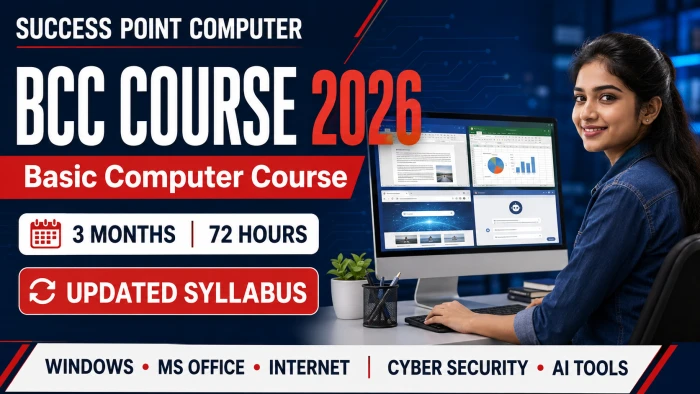
BCC Course 2026: 3 महीने का Updated Basic Computer Course Syllabus, Skills और Benefits
आज पढ़ाई, नौकरी, व्यवसाय, बैंकिंग और सरकारी सेवाओं से जुड़े अधिकांश कार्य Computer तथा Internet की सहायता से किए जाते हैं। Online Form भरना हो, Resume बनाना हो, E-mail भेजना हो, Excel में हिसाब रखना हो, Digital Payment करना हो या किसी document को scan करके PDF में भेजना हो—हर जगह basic computer knowledge की आवश्यकता पड़ती है।
लेकिन बहुत से विद्यार्थी और नए users Computer सीखना चाहते हुए भी यह तय नहीं कर पाते कि शुरुआत कहाँ से करें। इसी आवश्यकता को ध्यान में रखते हुए BCC – Basic Computer Course का updated 2026 syllabus तैयार किया गया है। यह एक foundation-level course है, जिसमें किसी पूर्व Computer Knowledge की आवश्यकता नहीं है।
SUCCESS POINT COMPUTER का यह BCC Course केवल Computer और MS Office की basic जानकारी तक सीमित नहीं है। इसमें Windows 11, MS Office, LibreOffice, Internet, E-mail, Cloud Storage, Online Government Services, Digital Payments, Cyber Security और Artificial Intelligence जैसे आधुनिक और उपयोगी विषय भी शामिल हैं।
BCC का Full Form – Basic Computer Course है।
यह beginners के लिए तैयार किया गया एक foundation course है, जिसका उद्देश्य विद्यार्थियों को Computer के सुरक्षित, आत्मविश्वासपूर्ण और practical उपयोग के योग्य बनाना है।
| विवरण | जानकारी |
|---|---|
| Course Name | BCC – Basic Computer Course |
| Recommended Duration | 3 Months / 72 Hours |
| Course Level | Foundation / Beginner |
| Eligibility | Basic reading and writing ability |
| Prior Computer Knowledge | आवश्यक नहीं |
| Training Method | Theory, Demonstration, Hands-on Practice, Assignments और Project Work |
| Total Modules | 10 |
| प्रमुख विषय | Computer Fundamentals, Windows, MS Office, LibreOffice, Internet, E-mail, Cloud, Digital Payments, Cyber Security और AI Tools |
पुराने Basic Computer Courses में प्रायः Computer Fundamentals, Windows और MS Office तक ही पढ़ाया जाता था। लेकिन आज एक Computer User को Smartphone, Cloud Storage, Online Forms, Digital Payments, Cyber Fraud, Privacy और AI Tools की जानकारी भी होनी चाहिए।
इसी कारण updated BCC syllabus में traditional computer topics के साथ modern digital skills को शामिल किया गया है। Course का उद्देश्य केवल menus और commands याद कराना नहीं, बल्कि विद्यार्थियों को वास्तविक जीवन में उपयोग होने वाले कार्य स्वयं करना सिखाना है।
इस course की प्रमुख विशेषताएँ हैं:
बिल्कुल beginners के लिए step-by-step learning
Computer और modern IT gadgets की समझ
Windows 11 के साथ Windows 10 का legacy overview
MS Word, Excel और PowerPoint की practical training
LibreOffice Writer, Calc और Impress का परिचय
English और Hindi Unicode Typing
Internet Search, E-mail और Cloud Storage
Online Government Services और DigiLocker
UPI तथा Digital Payment Safety
Cyber Security और Online Fraud Awareness
ChatGPT, Gemini, OCR और modern AI Tools
Assignments तथा practical project work
पहले module में Computer की definition, characteristics, limitations और applications समझाए जाते हैं। विद्यार्थी Data और Information के अंतर तथा Input–Process–Output–Storage Cycle को सीखते हैं।
इसके बाद Desktop, Laptop, Tablet और Smartphone जैसे computers तथा Smartphones, Smartwatches, Smart TVs, Wearable Devices और अन्य modern smart gadgets की जानकारी दी जाती है।
Hardware section में System Unit, Motherboard, Processor, RAM, ROM, Cache Memory, HDD, SSD, Pen Drive, Memory Card और Optical Discs शामिल हैं। Keyboard, Mouse, Scanner, Microphone, Webcam, Touchscreen और Barcode/QR Scanner जैसे Input Devices तथा Monitor, Printer, Speaker, Projector और Headphones जैसे Output Devices की पहचान और उपयोग भी सिखाया जाता है।
विद्यार्थी USB, HDMI, Audio और Ethernet ports को पहचानना तथा Monitor, Keyboard, Mouse, Printer और अन्य peripherals को System Unit से जोड़ना सीखते हैं। System Software, Application Software, Utility Software और Mobile Apps के अंतर के साथ Computer को Start, Restart, Sign In और सुरक्षित रूप से Shut Down करने का practical कराया जाता है।
इस module में Operating System का अर्थ, कार्य और प्रकार समझाए जाते हैं। Desktop Operating System के रूप में Windows 11 की basic training और Windows 10 का legacy overview दिया जाता है। Android तथा iOS जैसे Mobile Operating Systems का परिचय भी शामिल है।
विद्यार्थी Start Menu, Taskbar, Notification Area, Desktop Icons और Shortcuts का उपयोग सीखते हैं। Application Windows को Open, Close, Minimize, Maximize, Resize और Switch करना सिखाया जाता है। Mouse, Touchpad, Keyboard और Touchscreen के basic operations का अभ्यास कराया जाता है।
Date and Time, Language, Display Resolution, Personalization, Volume, Wi-Fi और Bluetooth settings के साथ approved software को install और uninstall करना भी course में शामिल है। Task Manager के माध्यम से unresponsive application को close करना और running programs देखना सिखाया जाता है।
File Explorer में Drives, Folders, Files, Paths और common locations की समझ दी जाती है। विद्यार्थी File और Folder को Create, Select, Rename, Copy, Move, Search और Delete करना सीखते हैं। Recycle Bin, ZIP/Unzip, Pen Drive का सुरक्षित उपयोग, Screenshots, common file extensions, basic Windows Update, Backup Awareness और useful Keyboard Shortcuts भी इस module का हिस्सा हैं।
Word Processing किसी भी office या educational work की सबसे महत्वपूर्ण basic skill में से एक है। इस module में MS Word और LibreOffice Writer का उपयोग करके professional documents तैयार करना सिखाया जाता है।
विद्यार्थी Title Bar, Quick Access Toolbar, Ribbon/Menu Bar, Tabs, Groups, Ruler, Status Bar और Document Views को समझते हैं। नया document Create, Open, Save, Save As, Close तथा PDF में Export करना सिखाया जाता है।
Text Selection, Editing, Cut, Copy, Paste, Paste Special, Undo, Redo, AutoCorrect, Spelling and Grammar, Find तथा Replace का practical कराया जाता है। Font Formatting में Font Family, Size, Colour, Bold, Italic, Underline, Highlighting और Change Case शामिल हैं।
Paragraph Alignment, Indentation, Line Spacing, Paragraph Spacing, Tabs, Bullets और Numbering के साथ English तथा Hindi Unicode Typing सिखाई जाती है। Page Size, Margins, Orientation, Page Breaks, Header, Footer, Page Number, Page Border, Shading और Watermark का उपयोग भी कराया जाता है।
Tables, Pictures, Shapes, Icons, Text Boxes और WordArt के साथ Application, Formal Letter, Resume, Notice, Timetable और Basic Report जैसे practical documents तैयार कराए जाते हैं। Print Preview, Printing Settings और important shortcut keys भी module में शामिल हैं।
इस module में MS Excel और LibreOffice Calc के माध्यम से data entry, calculation और basic reporting सिखाई जाती है। विद्यार्थी Workbook, Worksheet, Row, Column, Cell, Range, Active Cell और Cell Address को समझते हैं।
Text, Numbers, Dates और Time की entry तथा Workbook को Create, Open, Save और Close करने का अभ्यास कराया जाता है। Cells, Rows, Columns और Ranges को Select करना, Cut, Copy, Paste, Paste Special और Cell Formatting सिखाई जाती है।
Number, Currency, Accounting, Date और Percentage formats के साथ Wrap Text, Merge & Center, Alignment, Row Height, Column Width और Worksheet Management का practical होता है। AutoFill, Data Series और Flash Fill का basic introduction भी दिया जाता है।
Basic Formulas में Addition, Subtraction, Multiplication, Division और Percentage शामिल हैं। विद्यार्थी SUM, AVERAGE, COUNT, MAX, MIN और basic IF functions का उपयोग सीखते हैं। Sorting, Filtering, Find and Replace, Column, Bar, Line तथा Pie Charts के साथ Page Setup और Printing भी सिखाई जाती है।
Practical Work में Student Marksheet, Monthly Expense Sheet, Attendance Sheet और Simple Bill/Invoice तैयार कराया जाता है।
Presentation Skills स्कूल, कॉलेज, training और office meetings में उपयोगी होती हैं। इस module में MS PowerPoint और LibreOffice Impress का उपयोग करके प्रभावशाली presentations बनाना सिखाया जाता है।
विद्यार्थी Blank Presentation और Templates से presentation बनाना सीखते हैं। Themes, Slide Layouts, Background Colours, Slide Size तथा Slides को Add, Duplicate, Rearrange और Delete करना सिखाया जाता है।
Text, Text Boxes, WordArt, Bullets, Pictures, Icons, Shapes, Tables, Charts, SmartArt और Process Diagrams का उपयोग कराया जाता है। Objects को Resize, Crop, Rotate, Align, Group और Arrange करना भी सिखाया जाता है।
Audio, Video, Slide Master Basics, Transitions और Animations के अंतर, Effect Options, Timings, Rehearse Timings, Automatic Slide Show, Presenter View और Slide Navigation का practical कराया जाता है। विद्यार्थी पाँच slides का practical project बनाकर उसे प्रस्तुत करते हैं।
इस module में Computer Network का परिचय और PAN, LAN, MAN तथा WAN जैसे network types समझाए जाते हैं। Internet, World Wide Web, Website, Webpage, Homepage, URL, Domain Name, ISP और IP Address की basic जानकारी दी जाती है।
Modem, Router, Switch और Wi-Fi Access Point जैसे networking devices तथा Wi-Fi, Broadband, LAN Cable, Mobile Hotspot और USB Tethering जैसे connection modes सिखाए जाते हैं।
Google Chrome, Microsoft Edge और Mozilla Firefox में Address Bar, Tabs, Bookmarks, History और Downloads का उपयोग कराया जाता है। Private/Incognito Mode की उपयोगिता और उसकी limitations भी समझाई जाती हैं।
विद्यार्थी keywords, exact phrases और filters का उपयोग करके प्रभावी online search करना सीखते हैं। Online information की सत्यता जाँचने के लिए Source, Author, Date और Cross-verification की जानकारी दी जाती है। Safe Downloading, File Uploading, Webpage और PDF Saving, Printing, Copyright और responsible use of online content भी module का हिस्सा हैं। Google Meet, Zoom और Microsoft Teams के माध्यम से online video meetings का basic introduction भी दिया जाता है।
Professional और personal communication के लिए E-mail का सही उपयोग आवश्यक है। इस module में E-mail Address की structure, Account Creation, Sign In, Inbox, Sent, Drafts, Spam, Trash और Outbox जैसे folders समझाए जाते हैं।
विद्यार्थी suitable Subject Line के साथ professional E-mail लिखना, Send, Reply, Reply All, Forward, To, CC और BCC का सही उपयोग सीखते हैं। Attachments जोड़ना, download करना, professional E-mail Signature बनाना, messages को search और organize करना, E-mail Etiquette तथा Phishing E-mails पहचानना भी सिखाया जाता है।
Cloud Storage section में Google Drive और OneDrive के माध्यम से folders बनाना, files upload और download करना, sharing links तैयार करना, Viewer और Editor permissions समझना तथा shared file से public access हटाना सिखाया जाता है।
Digital Services में e-Governance portals, IRCTC, Passport Seva, e-Hospital/ORS, State Citizen Service Portals, Online Form Filling, Document Uploading और Acknowledgement Downloading का परिचय दिया जाता है। DigiLocker के माध्यम से digital documents access, store, share और verify करना तथा UMANG से government services प्राप्त करना भी course में शामिल है।
Digital Payments का उपयोग बढ़ने के साथ उनकी सुरक्षा समझना भी बहुत जरूरी है। इस module में OTP, QR Code, UPI ID, UPI PIN और Unified Payments Interface की जानकारी दी जाती है। BHIM, Google Pay, PhonePe और Paytm जैसे UPI applications के सामान्य उपयोग को समझाया जाता है।
विद्यार्थी Send Money, Scan & Pay, Payment Request, Transaction History और Reference Number जैसे features सीखते हैं। AEPS, Micro-ATM, USSD Banking, Debit और Credit Cards, CVV, PIN, Contactless Payments, Mobile Wallets, PoS Terminals, Internet Banking, Mobile Banking, NEFT, RTGS और IMPS का परिचय दिया जाता है।
Electricity, Water, Mobile, DTH और FASTag payments के साथ Failed, Pending और Reversed Transactions की basic understanding दी जाती है। शिकायत और customer-support channels का उपयोग भी समझाया जाता है।
इस module में सुरक्षित payment के महत्वपूर्ण नियमों पर विशेष ध्यान दिया जाता है—payment से पहले recipient verify करना, OTP, CVV, Card PIN, Password या UPI PIN कभी साझा न करना और यह समझना कि UPI PIN payment भेजने के लिए आवश्यक होता है, पैसे प्राप्त करने के लिए नहीं। Suspected online financial fraud होने पर तुरंत Cyber Crime Helpline 1930 पर सूचना देने के बारे में भी बताया जाता है।
हर Internet User के लिए Cyber Security की basic awareness आवश्यक है। इस module में Virus, Malware, Ransomware, Spyware, Social Engineering, Phishing, Smishing और Vishing जैसे common cyber threats समझाए जाते हैं।
Fake OTP Calls, Lottery Scams, Job Scams, Loan Scams, Suspicious Links, Fake Websites, Unsafe Apps और QR Code scams की पहचान करना सिखाया जाता है। Strong Password, Passphrase, Password Reuse के नुकसान, Password Manager Awareness, Two-Factor Authentication और Multi-Factor Authentication की जानकारी दी जाती है।
विद्यार्थियों को Personal और Financial Information, Aadhaar, PAN तथा identity documents की सुरक्षित handling समझाई जाती है। HTTP और HTTPS का अंतर, Public Wi-Fi Risks, Antivirus, Firewall, Software Updates, Screen Lock, Device Security, Data Backup और File Restoration भी module में शामिल हैं।
Social Media Privacy Settings, Digital Footprint, Cyberbullying, Responsible Posting, Misinformation, Deepfakes और Manipulated Media की basic awareness दी जाती है। Fraud की स्थिति में Screenshot और Evidence सुरक्षित रखने, National Cyber Crime Reporting Portal तथा Cyber Crime Helpline 1930 के उपयोग की जानकारी भी दी जाती है।
Artificial Intelligence अब education, search, translation, accessibility और office work का उपयोगी हिस्सा बन रही है। इसलिए updated BCC Course में beginners के लिए AI और modern digital tools का अलग module जोड़ा गया है।
इसमें Artificial Intelligence, Machine Learning और Generative AI के बीच basic difference समझाया जाता है। ChatGPT और Gemini जैसे AI Assistants का परिचय दिया जाता है। OCR के माध्यम से image या scanned document को editable text में बदलना, Speech-to-Text, Voice Typing, Text-to-Speech और Translation Tools का उपयोग भी शामिल है।
Basic Prompt Writing में Task, Context, Audience और Required Output Format स्पष्ट करना सिखाया जाता है। विद्यार्थी AI की सहायता से letters का draft, text summary और study plan बनाना सीखते हैं।
इसके साथ AI-generated information को accuracy के लिए check करना, outdated, biased या fabricated information पहचानना और reliable sources से verification करना सिखाया जाता है। Privacy, Confidentiality, Copyright, Originality और Plagiarism Awareness पर भी विशेष ध्यान दिया जाता है। विद्यार्थियों को passwords, banking details, confidential documents या personal identity information को unapproved AI Tools पर upload न करने की स्पष्ट जानकारी दी जाती है।
Regular practice करने वाला विद्यार्थी course के दौरान निम्न basic tasks करना सीख सकता है:
Computer और connected devices की पहचान एवं basic setup
Windows में Files और Folders manage करना
Pen Drive, ZIP Files और Screenshots का सही उपयोग
Application, Letter, Resume, Notice और Report बनाना
Hindi और English Unicode Typing
Marksheet, Attendance Sheet, Expense Sheet और Simple Invoice बनाना
पाँच slides की professional presentation तैयार करना
Internet पर प्रभावी और सुरक्षित search करना
Professional E-mail और attachments भेजना
Google Drive तथा OneDrive में files organize और share करना
Online Forms भरना और documents upload करना
DigiLocker तथा government digital services का उपयोग
UPI और Digital Payments का सुरक्षित उपयोग
Phishing, Fake Links और Online Fraud की पहचान
ChatGPT और अन्य AI Tools का जिम्मेदारीपूर्वक basic उपयोग
यह course निम्न learners के लिए उपयोगी हो सकता है:
पहली बार Computer सीखने वाले विद्यार्थी
School या College Students
गृहिणियाँ और Senior Citizens
छोटे व्यापारी और Shop Owners
Office Work सीखने वाले beginners
Online Forms और Digital Services का उपयोग सीखने वाले व्यक्ति
Private Job की basic computer requirements की तैयारी करने वाले उम्मीदवार
Smartphone Users जो Computer और Internet का सुरक्षित उपयोग सीखना चाहते हैं
DCA, ADCA, Tally या अन्य advanced course से पहले मजबूत foundation बनाने वाले विद्यार्थी
BCC एक foundation-level course है। इसे पूरा करने के बाद विद्यार्थी अपनी रुचि के अनुसार निम्न courses या skill areas में आगे बढ़ सकता है:
DCA – Diploma in Computer Applications
ADCA – Advanced Diploma in Computer Applications
Advanced MS Office और Advanced Excel
TallyPrime with GST
Graphic Designing और DTP
Web Designing
Hardware और Networking
Hindi/English Typing तथा Data Entry Practice
Digital Marketing या other job-oriented computer courses
Basic practical proficiency के आधार पर विद्यार्थी Entry-level Data Entry, Office Support, Documentation, Billing Assistance या Digital Service Centre के basic tasks की तैयारी भी कर सकता है। वास्तविक अवसर learner की typing speed, accuracy, practice, communication और job requirements पर निर्भर करते हैं।
महत्वपूर्ण: कोई भी short-term course नौकरी की स्वतः guarantee नहीं देता। Course के बाद नियमित practice, typing speed और practical confidence विकसित करना आवश्यक है।
SUCCESS POINT COMPUTER में BCC Course को beginners की learning needs को ध्यान में रखकर तैयार किया गया है। हमारा उद्देश्य विद्यार्थियों को केवल commands याद कराना नहीं, बल्कि Computer और Digital Services का सुरक्षित तथा practical उपयोग सिखाना है।
Course में Theory, Live Demonstration, Hands-on Practice, Assignments और Project Work का संतुलित उपयोग किया जाता है। Updated syllabus के कारण विद्यार्थी traditional Computer Skills के साथ Cyber Security, Cloud Storage, Digital Payment Safety और Artificial Intelligence जैसे आधुनिक विषय भी सीखता है।
यदि आपने पहले कभी Computer नहीं चलाया है या अपनी basic digital skills को व्यवस्थित रूप से मजबूत करना चाहते हैं, तो BCC – Basic Computer Course 2026 आपके लिए एक उपयोगी शुरुआत हो सकता है।
3 Months / 72 Hours के इस structured course में Computer Fundamentals, Windows, MS Office, LibreOffice, Internet, E-mail, Cloud Storage, Online Services, Digital Payments, Cyber Security और AI Tools जैसे जरूरी विषय शामिल हैं। Practical assignments और project work के माध्यम से विद्यार्थी रोजमर्रा, education और basic office work में उपयोग होने वाली digital skills सीख सकता है।
SUCCESS POINT COMPUTER
An Institute of Computer Education & Hardware Networking
Since 2013
स्थान: Dev Nagar Road, Shaktifarm, Sitarganj, Udham Singh Nagar, Uttarakhand

मोबाइल: 9927740573
वेबसाइट: www.spc.org.in
आज ही BCC Course में प्रवेश लेकर अपनी Computer और Digital Skills की मजबूत शुरुआत करें।
BCC का Full Form Basic Computer Course है।
इस updated course की recommended duration 3 Months / 72 Hours है।
Basic reading और writing ability पर्याप्त है। Course शुरू करने से पहले Computer Knowledge होना आवश्यक नहीं है।
हाँ। Course को foundation और beginner level के अनुसार step-by-step तैयार किया गया है।
हाँ। Word Processing में MS Word/LibreOffice Writer, Spreadsheet में MS Excel/LibreOffice Calc और Presentation में MS PowerPoint/LibreOffice Impress शामिल हैं।
हाँ। Word Processing module में English और Hindi Unicode Typing की basic practice शामिल है।
हाँ। Online Form Filling, Document Uploading, DigiLocker, UMANG और प्रमुख e-Governance services का basic परिचय दिया जाता है।
हाँ। UPI, QR Code, Cards, Mobile Banking और Online Bill Payments के साथ OTP, CVV, Password और UPI PIN की सुरक्षा भी सिखाई जाती है।
हाँ। Phishing, Malware, Fake Calls, Online Scams, Strong Passwords, Two-Factor Authentication, Privacy और Cybercrime Reporting की जानकारी दी जाती है।
हाँ। इसमें AI का basic introduction, ChatGPT, Gemini, OCR, Voice Typing, Translation, Prompt Writing और Responsible Use of AI शामिल हैं।
BCC के बाद विद्यार्थी DCA, ADCA, TallyPrime, Advanced Excel, Graphic Designing, Web Designing या Hardware and Networking जैसे courses कर सकता है।
नहीं। दोनों basic digital skills से जुड़े हो सकते हैं, लेकिन उनका syllabus, उद्देश्य, training structure और certification framework अलग हो सकता है। Admission से पहले संबंधित course की official details और institute curriculum को समझना चाहिए।