CCC Course 2026: Updated Syllabus, Duration & Skills
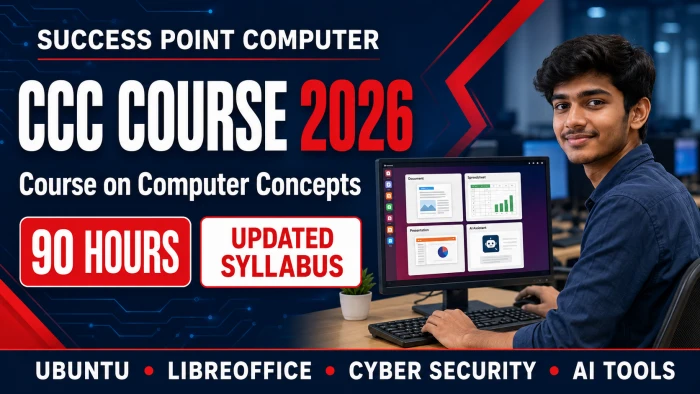

Computer Fundamentals से लेकर Ubuntu, LibreOffice, Internet, Digital Payments, Cyber Security और Artificial Intelligence तक—पूरे 90-hour course की विस्तृत जानकारी।
आज Computer और Internet का ज्ञान लगभग हर क्षेत्र में आवश्यक हो चुका है। Online Form Filling, E-mail, Digital Payment, Government Services, Office Documents, Spreadsheet, Presentation और Cyber Security जैसी skills पढ़ाई, नौकरी, व्यवसाय तथा दैनिक जीवन में लगातार उपयोग होती हैं। ऐसे में केवल Computer चलाना सीखना पर्याप्त नहीं है; सुरक्षित और जिम्मेदारीपूर्वक Digital Technology का उपयोग करना भी उतना ही जरूरी है।
CCC – Course on Computer Concepts एक Digital Literacy और Computer Application Course है, जो विद्यार्थियों को basic से intermediate level तक उपयोगी Computer Skills प्रदान करता है। Updated CCC Course 2026 syllabus में Computer Fundamentals, Ubuntu/Linux, Windows Awareness, LibreOffice Writer, Calc और Impress, Internet, E-mail, Cloud Storage, e-Governance, Digital Financial Tools, Cyber Security तथा Artificial Intelligence जैसे आधुनिक विषय शामिल हैं।
यह course theory के साथ अधिक practical training पर आधारित है, जिससे विद्यार्थी केवल concepts न पढ़ें, बल्कि documents, spreadsheets और presentations बनाना, online services का उपयोग करना तथा digital transactions को सुरक्षित रखना भी सीखें।
CCC का Full Form – Course on Computer Concepts है।
यह course Computer और Digital Services के practical उपयोग की foundation तैयार करता है। इसमें beginners को Computer Hardware, Operating System और Office Applications से लेकर Internet Safety, Digital Banking तथा AI Tools तक step-by-step जानकारी दी जाती है।
| विवरण | जानकारी |
|---|---|
| Course Name | Course on Computer Concepts (CCC) |
| Course Level | Basic to Intermediate |
| Course Duration | 90 Hours |
| Theory Training | 30 Hours |
| Practical Training | 60 Hours |
| Recommended Operating System | Ubuntu/Linux |
| Recommended Office Software | LibreOffice |
| Equivalent Software Awareness | Windows 11 और Microsoft Office |
| Course Type | Digital Literacy and Computer Application Course |
| Training Method | Theory, Demonstration, Practical, Assignments और Project Work |
इस course structure में लगभग दो-तिहाई समय practical training के लिए रखा गया है। इसलिए course का लाभ लेने के लिए विद्यार्थियों को नियमित hands-on practice करनी चाहिए।
इस updated syllabus में practical training के लिए निम्न applications प्रमुख हैं:
LibreOffice open-source office suite है और इसके files को Microsoft
Office formats जैसे .docx, .xlsx और
.pptx में save करने की awareness भी syllabus में शामिल है। इससे
विद्यार्थी अलग-अलग software environments में काम करने की basic समझ विकसित कर
सकता है।
Computer Education अब केवल Keyboard, Mouse और MS Office तक सीमित नहीं रही। आज एक digital user को Cloud Storage, UPI, QR Code, Online Shopping, DigiLocker, Privacy Settings, Deepfake Awareness, Passkeys और AI Assistants की जानकारी भी होनी चाहिए।
Updated CCC syllabus पुराने और आधुनिक topics के बीच संतुलन बनाता है। इसमें Ubuntu/Linux और LibreOffice जैसे open-source platforms की practical training के साथ Windows 11 और Microsoft Office की awareness दी जाती है। साथ ही safe digital payments, cyber fraud protection और responsible AI use जैसे विषय course को वर्तमान digital environment के लिए अधिक उपयोगी बनाते हैं।
पहले module में Computer की definition, characteristics, history, generations और types समझाए जाते हैं। विद्यार्थी Desktop, Laptop, Tablet, Smartphone और Server के बीच basic difference सीखते हैं। Education, Banking, Business, Healthcare और Government में Computer के उपयोग की जानकारी भी दी जाती है।
Computer System के प्रमुख components में CPU, Arithmetic Logic Unit, Control Unit, Registers, RAM, ROM, Cache और Virtual Memory शामिल हैं। HDD, SSD, Memory Card, Pen Drive और Cloud Storage जैसे storage options तथा Bit, Byte, KB, MB, GB और TB जैसी storage units समझाई जाती हैं।
Keyboard, Mouse, Scanner, Microphone, Webcam और Touchscreen जैसे Input Devices तथा Monitor, Printer, Speaker और Projector जैसे Output Devices की पहचान कराई जाती है। USB, HDMI, Audio और Network Ports के साथ Monitor, Keyboard, Mouse और Printer को connect करने का practical भी कराया जाता है।
Hardware, Software, Firmware, System Software, Application Software, Utility Software, Open-Source और Proprietary Software के बीच अंतर समझाया जाता है। Mobile Applications तथा Smartwatch, Smart TV, IoT और Wearable Devices जैसे latest IT gadgets का परिचय भी इस module में शामिल है।
इस module में Operating System का अर्थ, उद्देश्य और प्रमुख functions पढ़ाए जाते हैं। Ubuntu और अन्य Linux Operating Systems का परिचय, Windows 11 awareness तथा Android और iOS जैसे Mobile Operating Systems की basic understanding दी जाती है। Open-source और proprietary operating systems के बीच अंतर भी समझाया जाता है।
Ubuntu Desktop Interface में Desktop, Icons, Top Bar, Dock, Application Menu, System Settings और Application Windows के साथ काम करना सिखाया जाता है। विद्यार्थी applications को Open, Close, Minimize, Maximize, Restore और Resize करना तथा एक application से दूसरे application में switch करना सीखते हैं।
Date, Time, Language, Display, Volume और Keyboard Settings के साथ Wi-Fi, Bluetooth तथा Printer connection का practical कराया जाता है। Software Centre से approved applications install और remove करना, Operating-System Updates तथा System Monitor की सहायता से unresponsive applications manage करना भी सिखाया जाता है।
File और Folder Management में Files Application, Drives, Files,
Folders, Subfolders, Copy, Move, Rename, Delete, Trash, Search, Sort,
Properties, ZIP Compression, Extraction, Pen Drive, External Storage और
Backup शामिल हैं। विद्यार्थियों को .odt, .ods,
.odp, .docx, .xlsx,
.pptx, .pdf, .jpg,
.png, .mp3, .mp4 और
.zip जैसे common extensions की पहचान कराई जाती है।
Windows Interface Awareness में Desktop, Start Menu, Taskbar, Notification Area, File Explorer, Recycle Bin, Settings, Control Panel, Task Manager और Application Management का परिचय दिया जाता है।
LibreOffice Writer के माध्यम से letters, reports, resumes और अन्य documents तैयार करना सिखाया जाता है। विद्यार्थी Writer Workspace के Title Bar, Menu Bar, Toolbars, Sidebar, Status Bar, Ruler और Scroll Bars को समझते हैं। Blank Document और Template से document बनाना, Open, Save, Save As और Close करना सिखाया जाता है।
Writer files को .odt format में save करने के साथ Microsoft
Word .docx format और PDF में export करना भी course का महत्वपूर्ण
भाग है।
Text Editing में Selection, Cut, Copy, Paste, Paste Special, Undo, Redo, Find, Replace, Go To, Navigator, Change Case, AutoCorrect तथा Spelling and Grammar Checking शामिल हैं। Hindi और English Unicode Typing की basic practice भी कराई जाती है।
Text Formatting में Font, Size, Colour, Bold, Italic, Underline, Superscript, Subscript, Highlighting, Character Spacing, Alignment, Line Spacing, Paragraph Spacing, Indentation, Tabs, Bullets, Numbering और Multilevel Lists शामिल हैं। Paragraph और Character Styles का परिचय भी दिया जाता है।
Page Formatting में Size, Margins, Portrait/Landscape Orientation, Columns, Page Breaks, Header, Footer, Page Number, Watermark, Background, Print Preview और Printing Settings सिखाए जाते हैं। Tables, Rows, Columns, Merge/Split Cells, Pictures, Shapes, Text Boxes, Image Cropping, Text Wrapping और Object Alignment का practical कराया जाता है।
Mail Merge section में Main Document, Recipient List, Data Source, Merge Fields, Preview और Final Merge के माध्यम से Letters, Labels तथा Envelopes बनाना सिखाया जाता है। Practical work में Application, Official Letter, Biodata, Resume, Notice, Invitation, Certificate Format और Table-Based Document तैयार कराए जाते हैं।
LibreOffice Calc का उपयोग calculation, record keeping और data
analysis के लिए किया जाता है। इस module में Workbook, Worksheet, Row,
Column, Cell, Range, Cell Address और Active Cell की जानकारी दी जाती है।
Files को .ods तथा Microsoft Excel .xlsx format
में save करना सिखाया जाता है।
विद्यार्थी Text, Number, Date और Time Data Entry, Worksheet Insert, Rename, Delete, Move, Copy, Hide/Unhide तथा Freeze Rows and Columns का अभ्यास करते हैं। Font, Alignment, Background, Border, Number, Decimal, Currency, Accounting, Percentage और Date Formatting भी सिखाई जाती है।
Text Wrapping, Merge and Center, Row Height, Column Width, Insert/Delete Rows and Columns, Cut, Copy, Paste, Paste Special, AutoFill और Data Series का practical कराया जाता है।
Formulas section में Arithmetic Operators, Order of Operations तथा Relative, Absolute और Mixed Cell References समझाए जाते हैं। SUM, AVERAGE, COUNT, COUNTA, MAX, MIN, ROUND और Basic IF जैसे useful functions सिखाए जाते हैं। Common spreadsheet errors की पहचान भी कराई जाती है।
Data Management में Sorting, Filtering, Conditional Formatting, Data Validation, Drop-Down List तथा Find and Replace शामिल हैं। Column, Bar, Pie और Line Charts बनाना, Chart Title, Legend, Data Labels और Colours format करना भी सिखाया जाता है।
Practical work में Student Marksheet, Household Budget, Employee Salary Sheet, Sales and Expense Report, Simple Invoice, Stock Register, Attendance Sheet और Charts तैयार कराए जाते हैं।
इस module में LibreOffice Impress के माध्यम से educational और professional
presentations बनाना सिखाया जाता है। विद्यार्थी Slides Pane, Workspace,
Sidebar और Normal, Outline, Notes, Handout तथा Slide Sorter Views को
समझते हैं। Presentation को .odp, Microsoft PowerPoint
.pptx और PDF format में save या export करना भी सिखाया जाता
है।
Slide Management में New Slide, Layout, Duplicate, Rearrange, Hide, Delete, Slide Size, Theme और Background शामिल हैं। Text, Text Box, Shapes, Fontwork, Icons, Pictures, Screenshots, Tables, Charts, Diagrams, Audio और Video add करने का practical कराया जाता है।
Objects को Resize, Crop, Rotate, Align, Group और Arrange करना तथा Date, Footer और Slide Number जोड़ना भी सिखाया जाता है। Master Slide की सहायता से common design, Font, Colour, Background, Logo और Footer apply करने की basic training दी जाती है।
Transitions, Object Animations, Effect Options, Animation Order, Timings, Automatic Slide Show और Rehearse Timings के साथ Presenter Console, Speaker Notes और Navigation Controls का उपयोग कराया जाता है। Final practical में विद्यार्थी 6 से 10 slides की educational, business, institute या product presentation तैयार करता है।
इस module में Computer Networks के अर्थ और लाभ तथा PAN, LAN, MAN और WAN का परिचय दिया जाता है। Wired और Wireless Networks, Modem, Router, Switch, Wi-Fi Access Point, IP Address, MAC Address और ISP की basic जानकारी शामिल है।
Internet, Intranet, World Wide Web, Website, Webpage, Homepage, Web Portal, Domain Name, URL और Hyperlink के concepts समझाए जाते हैं। Wi-Fi, Broadband, LAN Cable, Mobile Hotspot और USB Tethering जैसे Internet Connection Modes भी सिखाए जाते हैं।
Mozilla Firefox, Google Chrome और Microsoft Edge में Websites खोलना, Tabs, Back, Forward, Refresh, Home, Bookmarks, History और Download Manager का उपयोग कराया जाता है। Private/Incognito Browsing की limitations, Cookies और Cache clear करना, Images/Documents download करना तथा Webpages save और print करना भी शामिल है।
Search Engine section में Keywords, Quotation Marks, Search Filters, Voice Search और Image Search का उपयोग सिखाया जाता है। Reliable और Unreliable Online Information पहचानने की basic awareness दी जाती है। Google Meet, Zoom और Microsoft Teams में Join/Leave, Microphone, Camera, Screen Sharing और Online-Meeting Etiquette का practical कराया जाता है।
Digital Finance module विद्यार्थियों को online transactions के उपयोग और सुरक्षा दोनों की समझ देता है। इसमें OTP, QR Code, UPI, UPI ID/VPA, UPI PIN, Send and Receive Money, Scan and Pay, Collect Requests, BHIM तथा अन्य UPI Applications शामिल हैं। UPI Lite, AEPS, Micro-ATM और USSD Banking का परिचय भी दिया जाता है।
Debit और Credit Cards, Card Number, Expiry Date, CVV, PIN, Contactless Payment, e-Wallet, PoS Machine, Mobile Banking, Internet Banking, NEFT, RTGS और IMPS समझाए जाते हैं। Bharat Bill Payment System, Online Bill Payments, Mobile Recharge और FASTag के उपयोग का भी परिचय दिया जाता है।
विद्यार्थी Transaction Reference Number, Transaction Status, Failed Transaction, Refund और Complaint Procedure समझते हैं। Fake QR Codes, Fake Payment Screenshots और UPI Collect Request Fraud की पहचान करना सिखाया जाता है। OTP, UPI PIN, CVV और Banking Password कभी साझा न करने जैसे सुरक्षित digital-banking rules पर विशेष ध्यान दिया जाता है।
इस module में Cyber Security का अर्थ, आवश्यकता और objectives तथा Confidentiality, Integrity और Availability के basic principles समझाए जाते हैं। Virus, Worm, Trojan, Spyware, Ransomware, Phishing, Smishing और Vishing जैसे threats का परिचय दिया जाता है।
Fake Websites, Unsafe Applications, Fake Customer-Care Numbers, QR Code Scams, OTP Scams, Screen-Sharing Scams, Remote-Access Scams, Social Engineering और Identity Theft की पहचान सिखाई जाती है।
Strong और Unique Passwords, Password Managers, Two-Factor Authentication और Passkeys के माध्यम से accounts को सुरक्षित रखने की जानकारी दी जाती है। Desktop, Laptop, Browser, E-mail, Social Media और Smartphone Security के साथ Antivirus, Firewall, Software Updates, Application Permissions, Public Wi-Fi Safety, Backup और Recovery शामिल हैं।
Privacy Settings, Digital Footprint, Webcam, Microphone और Location Safety, Cyberbullying, Responsible Online Behaviour तथा Deepfake Voice, Image और Video Scams की awareness दी जाती है। Digital Fraud के बाद उठाए जाने वाले कदम, Cybercrime Helpline 1930 और National Cyber Crime Reporting Portal की जानकारी भी इस module का हिस्सा है।
अंतिम module विद्यार्थियों को भविष्य की technologies और AI की basic understanding देता है। इसमें Internet of Things, Big Data, Data Analytics, Cloud Computing, Virtual Reality, Augmented Reality, Blockchain, 3D Printing, Robotic Process Automation, Robotics और Automation जैसे topics शामिल हैं।
Artificial Intelligence section में AI का अर्थ, history, need, goals और types समझाए जाते हैं। Machine Learning, Deep Learning, Natural Language Processing, Computer Vision, Speech Recognition और Generative AI का basic परिचय दिया जाता है।
ChatGPT, Gemini और Copilot जैसे AI Assistants की सहायता से Letters, E-mails, Summaries, Translation, Learning तथा Documents, Spreadsheets और Presentations से जुड़े basic tasks करना सिखाया जाता है।
Prompt Writing में Clear Instructions, Proper Context, Required Output Format, Follow-Up Questions और Prompt Refinement शामिल हैं। विद्यार्थियों को AI-generated information verify करना भी सिखाया जाता है।
Responsible Use of AI section में AI की advantages, limitations, fabricated responses, bias, fairness, privacy, confidential information, copyright, plagiarism, deepfakes और misinformation पर चर्चा की जाती है। AI का society और employment पर संभावित प्रभाव भी समझाया जाता है।
इस course में theory को practical skills में बदलने के लिए निम्न assignments शामिल हैं:
| Assessment | Marks |
|---|---|
| Theory/MCQ Examination | 40 |
| Practical Examination | 40 |
| Project and Viva | 20 |
| Total | 100 |
यह assessment pattern केवल theoretical knowledge ही नहीं, बल्कि practical performance, project quality और viva confidence का भी मूल्यांकन करता है।
नियमित practical training के बाद विद्यार्थी निम्न skills की working knowledge विकसित कर सकता है:
यह course निम्न learners के लिए उपयोगी हो सकता है:
CCC पूरा करने के बाद विद्यार्थी अपनी रुचि और career goal के अनुसार निम्न क्षेत्रों में आगे training ले सकता है:
Entry-level office और digital tasks की तैयारी में CCC की skills उपयोगी foundation दे सकती हैं। वास्तविक job opportunities learner की education, typing speed, accuracy, practical experience, communication और employer requirements पर निर्भर करती हैं।
महत्वपूर्ण: CCC या कोई भी course नौकरी की स्वतः guarantee नहीं देता। बेहतर अवसरों के लिए regular practice, practical projects और communication skills आवश्यक हैं।
| आधार | BCC | CCC |
|---|---|---|
| सामान्य स्तर | Foundation/Beginner | Basic to Intermediate |
| मुख्य उद्देश्य | Computer और daily digital skills की शुरुआत | Structured computer concepts और applications |
| Office Software | MS Office तथा LibreOffice awareness हो सकती है | LibreOffice recommended; MS Office awareness |
| Operating System | Windows-focused basic practice हो सकती है | Ubuntu/Linux recommended; Windows awareness |
| Depth | Basic tasks | Writer, Calc, Impress और digital topics में अधिक विस्तार |
| Assessment | Institute structure पर निर्भर | Theory, Practical, Project और Viva structure उपयोगी |
दोनों courses का वास्तविक syllabus, duration और certification framework provider के अनुसार अलग हो सकता है। Admission या examination से पहले applicable official details अवश्य देखनी चाहिए।
SUCCESS POINT COMPUTER में CCC Course को theory और hands-on practical के संतुलन के साथ पढ़ाया जाता है। Updated syllabus में traditional Computer Concepts के साथ Ubuntu/Linux, LibreOffice, Digital Financial Tools, Cyber Security और Artificial Intelligence जैसे modern topics शामिल हैं।
हमारा उद्देश्य विद्यार्थियों को केवल examination की तैयारी कराना नहीं, बल्कि Computer और Digital Services का practical, सुरक्षित और जिम्मेदारीपूर्ण उपयोग सिखाना है। Regular assignments, practical examination, project और viva के माध्यम से विद्यार्थी की understanding और confidence को विकसित किया जाता है।
यदि आप Computer Fundamentals से शुरुआत करके Office Applications, Internet, E-mail, Digital Payments, Cyber Security और Artificial Intelligence तक structured knowledge प्राप्त करना चाहते हैं, तो CCC – Course on Computer Concepts 2026 एक उपयोगी digital literacy course हो सकता है।
90 Hours के इस course में 30 Hours Theory और 60 Hours Practical Training का संतुलन रखा गया है। Ubuntu/Linux और LibreOffice के साथ Windows 11 तथा Microsoft Office awareness विद्यार्थियों को अलग-अलग computing environments समझने में मदद करती है। Practical Assignments और Integrated Project course को अधिक उपयोगी और application-based बनाते हैं।
SUCCESS POINT COMPUTER
An Institute of Computer Education & Hardware
Networking
Since 2013
स्थान: Dev Nagar Road, Shaktifarm, Sitarganj, Udham
Singh Nagar, Uttarakhand
मोबाइल: 9927740573
वेबसाइट: www.spc.org.in
आज ही CCC Course में प्रवेश लेकर अपनी Computer और Digital Skills को मजबूत बनाइए।
नोट: LibreOffice Writer, Calc और Impress इस syllabus में recommended practical applications हैं। Microsoft Word, Excel और PowerPoint के equivalent features अतिरिक्त software awareness के लिए दिखाए जा सकते हैं। संबंधित NIELIT examination rules, eligibility, schedule और notifications को अलग से official sources पर जाँचें।
CCC का Full Form Course on Computer Concepts है।
इस updated syllabus के अनुसार course duration 90 Hours है, जिसमें 30 Hours Theory और 60 Hours Practical Training शामिल है।
CCC एक Basic to Intermediate level Digital Literacy और Computer Application Course है।
Practical training के लिए Ubuntu/Linux recommended है। साथ ही Windows 11 interface और equivalent features की awareness दी जाती है।
इस syllabus में LibreOffice Writer, Calc और Impress recommended applications हैं। Microsoft Word, Excel और PowerPoint के equivalent features additional software awareness के लिए demonstrate किए जा सकते हैं।
हाँ। Word Processing के लिए Writer, Spreadsheet के लिए Calc और Presentation के लिए Impress की विस्तृत practical training शामिल है।
हाँ। UPI, QR Code, UPI Lite, Cards, e-Wallet, Mobile Banking, Internet Banking, NEFT, RTGS, IMPS और Payment Safety syllabus में शामिल हैं।
हाँ। Password Security, 2FA, Passkeys, Malware, Phishing, QR/OTP Scam, Remote-Access Fraud, Smartphone Security, Privacy और Cybercrime Reporting शामिल हैं।
हाँ। Future Technologies, AI, Machine Learning, Generative AI, ChatGPT, Gemini, Copilot, Prompt Writing और Responsible Use of AI शामिल हैं।
Institute के suggested internal assessment में 40 Marks Theory/MCQ, 40 Marks Practical तथा 20 Marks Project and Viva रखे गए हैं। Applicable external examination pattern अलग हो सकता है।
CCC basic computer और digital skills की foundation देता है। नौकरी learner की overall education, typing speed, practical proficiency, communication और employer requirements पर निर्भर करती है।
हाँ। Basic से Intermediate structure के कारण यह beginners और अपनी digital knowledge को व्यवस्थित रूप से बढ़ाने वाले learners के लिए उपयोगी हो सकता है।
नहीं। दोनों Digital Literacy से जुड़े हैं, लेकिन उनके syllabus, depth, software focus, assessment और certification framework अलग हो सकते हैं।
Rules, examination schedule और notifications समय के साथ बदल सकते हैं। इसलिए registration या examination से पहले NIELIT की applicable official information अवश्य जाँचें।