SUCCESS POINT COMPUTER

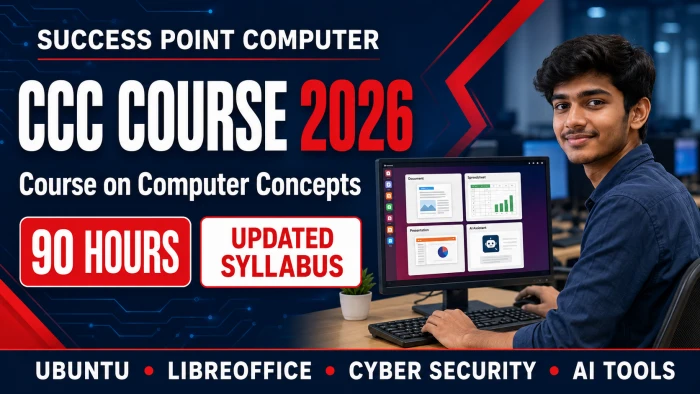
Course on Computer Concepts
Course on Computer Concepts

Course on Computer Concepts

Course Description


UPDATED CURRICULUM 2026

CCC Course Syllabus

Course on Computer Concepts

A practical digital-literacy programme covering computer fundamentals, Ubuntu/Linux, LibreOffice, internet services, e-Governance, digital payments, cyber security and responsible use of Artificial Intelligence.

Course Level

Basic to Intermediate

Duration90 Hours
Theory30 Hours
Practical60 Hours
Ubuntu
Recommended OS
LibreOffice
Office Applications
10
Learning Modules
100
Total Assessment Marks

Learning Outcomes

Skills You Will Develop

Operate Ubuntu/Linux and understand Windows 11
Create documents, sheets and presentations
Use e-mail, cloud and e-Governance services
Make safer digital payments and avoid fraud
Secure devices and online accounts
Use modern AI tools responsibly

Complete Curriculum

Explore the CCC Modules

Computer definition, history, generations and applications; desktop, laptop, tablet, smartphone and server; CPU, ALU and Control Unit; RAM, ROM, cache and virtual memory; HDD, SSD, pen drive and cloud storage; input/output devices; storage units; ports and peripherals; hardware, software, firmware, open-source software, IoT and wearable devices.

Ubuntu/Linux and Windows 11 interface; Android and iOS awareness; login, lock and shutdown; desktop, dock and application menu; system settings; Wi-Fi, Bluetooth and printer connection; application installation and updates; System Monitor; file and folder creation, copying, moving, searching and deletion; Trash, ZIP files, external storage, backup and common file extensions.

Writer interface; ODT and DOCX formats; document creation, editing and PDF export; Cut, Copy, Paste, Find and Replace, AutoCorrect and spell checking; English/Hindi Unicode typing; font and paragraph formatting; page setup, headers, footers and page numbers; tables, images and text wrapping; styles and Mail Merge. Projects include letters, résumés, notices and certificates.

Workbook, worksheet, cells and ranges; ODS and XLSX formats; data entry and sheet management; cell and number formatting; AutoFill and data series; relative, absolute and mixed references; formulas and SUM, AVERAGE, COUNT, MAX, MIN, ROUND and basic IF functions; sorting, filtering, Data Validation, Conditional Formatting, charts, page setup and printing. Practical sheets include marksheets, budgets, invoices and attendance.

Impress interface and presentation views; ODP and PPTX formats; slide layouts, themes and backgrounds; text, pictures, shapes, Fontwork, tables, charts, audio and video; Master Slide; transitions and animations; automatic slide shows, speaker notes and Presenter Console; printing and PDF/image export. Students create a professional 6–10 slide presentation.

PAN, LAN, MAN and WAN; modem, router, switch and access point; Internet, intranet, WWW, website, URL and domain; ISP, IP and MAC basics; Wi-Fi, broadband, hotspot and tethering; Chrome, Firefox and Edge; tabs, bookmarks, downloads, history, cookies and cache; effective web search and information verification; online meetings through Meet, Zoom and Teams.

E-mail account security, folders, composing, attachments, To, CC, BCC and professional etiquette; spam and phishing awareness; social-network privacy and safe online shopping; Google Drive and OneDrive; uploading, organising, collaborating and secure link permissions; IRCTC, Passport Seva, e-Hospital, DigiLocker, UMANG, state portals, online forms, eSign and digital-certificate awareness.

OTP, QR code, UPI ID and UPI PIN; sending, receiving and Scan & Pay; BHIM, UPI Lite, AEPS and Micro-ATM; cards, contactless payments, wallets and PoS; Internet Banking, Mobile Banking, NEFT, RTGS and IMPS; BBPS, recharge and FASTag; transaction status, refunds and complaints; fake QR codes, screenshots and Collect Request fraud prevention.

Viruses, trojans, spyware and ransomware; phishing, smishing, vishing and identity theft; fake websites, applications and customer-care scams; secure passwords, password managers, passkeys and Two-Factor Authentication; antivirus, firewall and updates; device, browser, e-mail and social-media security; public Wi-Fi risks, privacy, data backup, deepfake awareness and cybercrime reporting through 1930.

IoT, Cloud Computing, Big Data, Blockchain, AR/VR, Robotics and 3D Printing; AI, Machine Learning and Generative AI; ChatGPT, Gemini and Copilot; basic prompt writing; AI for letters, e-mails, summaries and translation; verification of AI output; privacy, bias, copyright, plagiarism, misinformation, deepfakes and responsible AI use.

Practical Assessment

Students complete practical projects using Writer, Calc, Impress, e-mail, cloud storage, e-Governance, digital-payment simulation, cyber security and AI tools.

40Theory/MCQ
40Practical
20Project & Viva

Start Your Digital Journey

Join CCC at Success Point Computer

Practical training, experienced guidance and a career-focused learning environment.

LibreOffice is recommended for practical training. Equivalent Microsoft Office features may also be demonstrated. Examination rules and official notifications should be checked separately.

Course Syllabus

Introduction to computer

Introduction Operating System

Word Processing (LibreOffice Writer)

Speadsheet (LibreOffice Calc)

Presentation (LibreOffice Impress)

Introduction To Internet, www and Web Browser's

E-mail, Social Networking and E-Governance Services

Digital Financial Tools and Application

Overview of Cyber Security

Overview of Futureskills and Artificial Intelligence


Duration: 3 Months
(2 Reviews)
Share on:
Basic Computer Course
3 Months
Computer Course
Basic Computer Course
(4.9 /19 Rating)
₹4800.00 ₹3500.00
  • Duration 3 Months
Computer Course
Basic Computer Course
(4.9 /2 Rating)
  • 13 Lessons
  • 28 Students
View Details
Advance Diploma in Computer Application
12 Months
Computer Course
Advance Diploma in Computer Application
(4.9 /4 Rating)
₹26000.00 ₹19500.00
  • Duration 12 Months
Financial Accounting on Computer Using Tally
6 Months
Computer Course
Financial Accounting on Computer Using Tally
(4.9 /15 Rating)
₹16000.00 ₹12000.00
  • Duration 6 Months
Certificate in office Automation
3 Months
Computer Course
Certificate in office Automation
(4.9 /1 Rating)
₹5000.00 ₹3700.00
  • Duration 3 Months
Computer Course
Certificate in office Automation
(4.9 /14 Rating)
  • 13 Lessons
  • 28 Students
View Details
Tally Essential Level 1
3 Months
Computer Course
Tally Essential Level 1
(4.9 /12 Rating)
₹7000.00 ₹5500.00
  • Duration 3 Months
Computer Course
Tally Essential Level 1
(4.9 /6 Rating)
  • 13 Lessons
  • 28 Students
View Details
Advanced Diploma in Financial Accounting
12 Months
Computer Course
Advanced Diploma in Financial Accounting
(4.9 /14 Rating)
₹18500.00 ₹14500.00
  • Duration 12 Months