Advance Diploma in Computer Application
Advance Diploma in Computer Application
Course Description
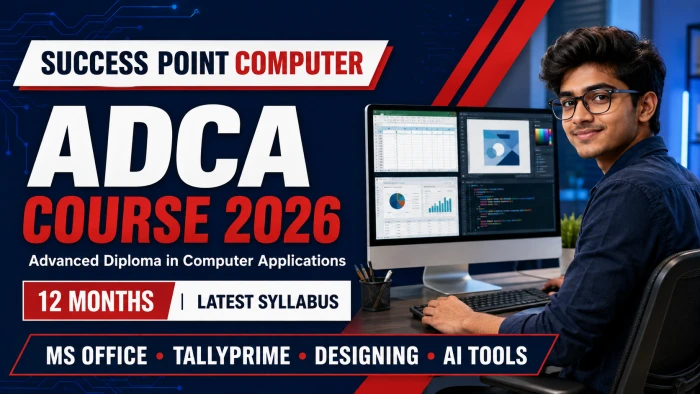
ADCA Course
Advanced Diploma in Computer Applications
A comprehensive 12-month programme combining office productivity, Advanced Excel, accounting, TallyPrime, graphic design, web development, programming, cyber security and modern Artificial Intelligence tools.
Course at a Glance
Programme Objective
From Computer Basics to Job-Ready Skills
ADCA develops practical ability in computer operations, office administration, financial accounting, digital design, website creation and workplace technology. Students complete assignments and real-world projects throughout the programme.
Core Skill Tracks
One Course, Multiple Career Skills
Structured Learning
12-Month Learning Roadmap
Digital Foundation
Computer fundamentals, hardware, Windows 11, file management and office basics.
Office & Finance
Advanced Excel, internet services, financial literacy and accounting fundamentals.
Business & Creative
TallyPrime with GST, Photoshop, CorelDRAW, Canva and responsive web design.
Future & Career
C/C++, multimedia, cyber security, AI tools, interview skills and final project.
Complete Curriculum
ADCA Syllabus 2026
Explore all 18 modules included in this professionally updated diploma programme.
Software: Microsoft 365, Office 2024 and LibreOffice compatibility awareness.
Word: Professional documents, formatting, page layout, tables, graphics, styles, headers/footers, mail merge, printing and PDF export.
Excel: Data entry, formatting, formulas, functions, sorting, filtering, charts, marksheets, salary sheets and invoices.
PowerPoint: Themes, layouts, SmartArt, charts, audio/video, transitions, animations, Slide Master and presentation delivery.
Access: Database concepts, tables, data types, primary keys, relationships, queries, forms, reports and a basic database project.
Photoshop: Selections, layers, masks, effects, photo correction, retouching, background removal, passport photographs, posters and banners.
CorelDRAW: Vector drawing, typography, logos, visiting cards, ID cards, certificates, brochures and flex banners.
Canva: Templates, brand elements, presentations, social posts, advertisements, résumés, thumbnails, basic animation and video. Colour modes, resolution, bleed, file formats and print-ready export are also covered.
Tools You Will Use
Professional Software Stack
Proof of Practical Skills
Final Digital Portfolio
Students finish ADCA with a collection of completed work suitable for skill demonstration and interview preparation.
Career Readiness
Skills for Modern Workplaces
The programme supports entry-level work in office administration, data processing, accounting assistance, digital design and basic web operations. Job outcomes depend on individual skill, practice and employer requirements.
Potential Career Roles
Build Your Career with ADCA
Join Success Point Computer for structured learning, individual computer practice, guided projects and future-ready digital skills.
SUCCESS POINT COMPUTER • An Institute of Computer Education & Hardware Networking • Since 2013
Course Syllabus
Fundamentals of Computer
Introduction to Computer Hardware
Operating System (Windows10, 11), MS-Dos
Paint, Notepad, WordPad
Ms-Office 2019, Office 365
Internet, Email, Chatting, Surfing, Searching, File Downloading, Online From Filling
Financial Literacy for Banking Scheme and Application
Basic Accounting
Ledger Posting
Trail Balance
Trading Accounting
Balance Sheet, Profit & Loss
Account Statements, Bank Reconciliation
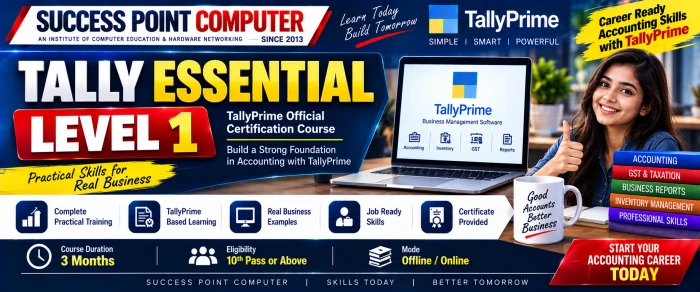
Tally Erp.9, Tally Prime
Fundamental of Tally
Accounting Master, Inventory Master
Voucher Entry, Bill-Wise Details
Order Processing, Batch Wise Details
Price Level & Price List, Stock Valuation
Technological Advantage of Tally
Godown, GST Billing, TDS
Photoshop, Corel Draw, HTML, Webpage Designing
C, C++ (Language), Multimedia, Printing & Scanning
Interview Training, Practical Assignment Project Work/Viva
Duration: 12 Months
Advertisements

Admission Query